Best IPTV Apps for Smart TV in 2026: Samsung, LG & Android TV
When upgrading your home entertainment system, one of the most common decisions viewers face is choosing the best IPTV apps for Smart TV streaming. Modern Smart TVs from Samsung, LG, Sony, Philips, and TCL feature crisp 4K displays and integrated operating systems. However, finding the ideal application to watch live television, view Electronic Program Guides (EPG), and stream on-demand movies directly on your TV screen can feel confusing due to varying app store availability across television brands.
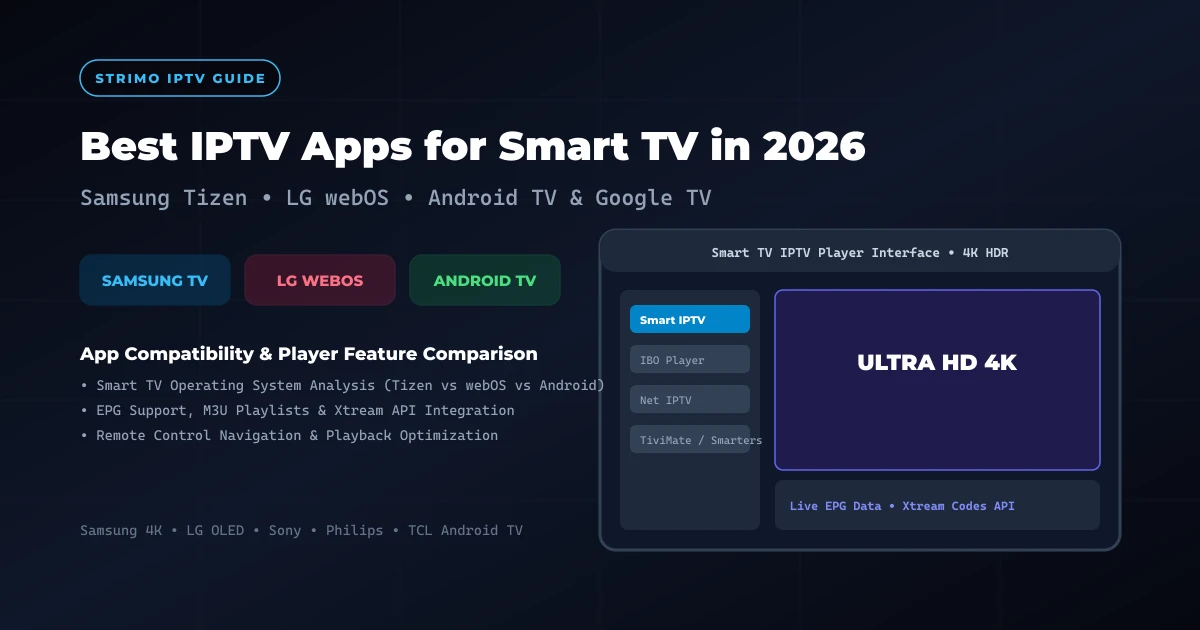
Choosing a best IPTV app for Smart TV viewing is not simply a matter of picking the most popular player on the market. The optimal choice depends directly on your television's operating system:
- Samsung Smart TVs run on Samsung's proprietary Tizen OS.
- LG Smart TVs operate on LG's custom webOS platform.
- Android TV & Google TV devices (such as Sony, TCL, Philips, and external streaming boxes) utilize the Android TV OS ecosystem.
Before evaluating specific applications, it is essential to establish a fundamental technical distinction: Smart TV hardware and IPTV player software serve two distinct roles. Your television provides the display screen, network connectivity, internal processor, and app store platform. The IPTV player is a media application installed onto your TV that connects to your provider, rendering channel menus, program guides, and video streams. The player itself does not provide television channels or streaming content; it functions as a media player interface for authorized content sources.
On our official setup documentation and StrimoIPTV installation guide, our technical team provides step-by-step setup support for Samsung, LG, and Android TV platforms. Depending on your TV brand, recommended options include Smart IPTV, IBO Player, Net IPTV, TiviMate, and IPTV Smarters Pro. In this comprehensive comparison guide, we evaluate the best IPTV apps for Smart TV in 2026, comparing platform compatibility, setup effort, EPG integration, M3U and Xtream Codes support, remote-control ergonomics, and playback stability.
Best IPTV Apps for Smart TV in 2026
What Is an IPTV App for Smart TV?
An IPTV player Smart TV application is a software media player designed to parse digital streaming protocols, organize live television channel lists, and render electronic program schedules on TV screens.
Understanding how an IPTV streaming app for Smart TV operates helps clarify what the software does—and what it does not do:
What an IPTV App Does: The application connects to an external streaming server using standardized protocols (such as Xtream Codes API or M3U playlists). It formats raw channel data into visual categories, displays channel logos, indexes EPG schedule timelines, processes video buffer frames, and responds to TV remote control inputs.
What an IPTV App Does NOT Do: Reputable IPTV player applications do not host, broadcast, sell, or supply live TV channels, movie streams, or copyright media. The application is an empty software shell that requires users to supply valid subscription credentials or playlists from a service provider they are legally authorized to access.
IPTV players connect to provider networks using several standard connection standards:
- Xtream Codes API: The most convenient authentication method for Smart TVs. Users enter a server portal URL, username, and password. The player automatically fetches live channels, EPG guide schedules, and Video On Demand (VOD) categories.
- M3U / M3U8 Playlist URLs: A web link containing structured stream addresses and channel titles. The player downloads the playlist file to index available streams.
- MAC Address / Portal Activation: Common on legacy Smart TV players (like Smart IPTV or Net IPTV). Users register their TV's virtual MAC address on an official activation website to link their provider's M3U or Xtream playlist.
Samsung vs LG vs Android TV: Why the Platform Matters
One of the most frequent misconceptions among television buyers is expecting every streaming app to be available on every TV brand. Because Samsung, LG, and Android TV use entirely different operating systems, app store availability varies significantly across platforms.
Below is a platform comparison matrix highlighting operating system characteristics and application ecosystems:
| Platform | Operating System | App Store Ecosystem | Primary Player Options | Best For |
|---|---|---|---|---|
| Samsung Smart TV | Tizen OS | Samsung Smart Hub Store | Smart IPTV, IBO Player, Net IPTV | Users wanting native TV streaming without extra hardware |
| LG Smart TV | webOS | LG Content Store | Smart IPTV, IBO Player, Net IPTV | Simple TV-based setup with Magic Remote support |
| Android TV | Android TV OS | Google Play Store | TiviMate, IPTV Smarters Pro, XCIPTV | Maximum customization & cable-style EPG grids |
| Google TV | Android-based OS | Google Play Store | TiviMate, IPTV Smarters Pro, OTT Navigator | Advanced streaming setups & multi-screen viewing |
It is important to emphasize that exact application availability can vary based on television model year, installed firmware version, country of purchase, app-store region settings, and application developer updates. Always verify current app availability in your television's official app store.
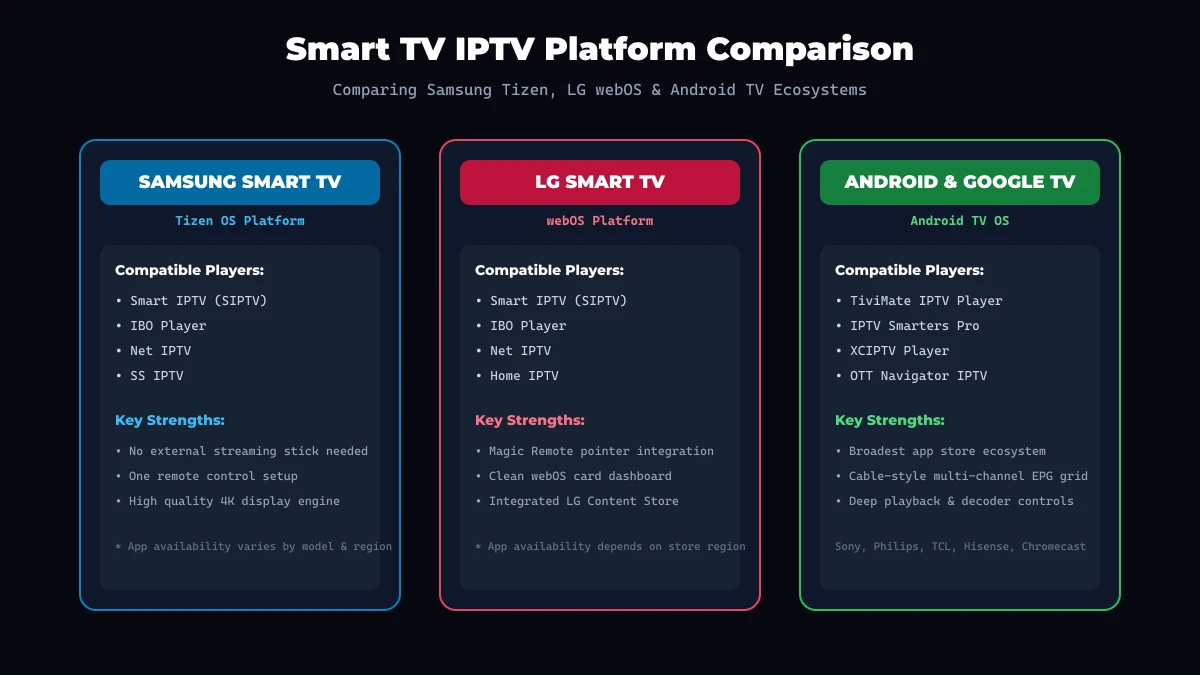 Smart TV Platforms Comparison
Best IPTV Apps for Samsung Smart TV
Samsung is the world's leading Smart TV manufacturer, equipping its televisions with the proprietary Tizen OS platform. Because Tizen is a closed operating system, Android APK files cannot be installed directly onto Samsung TVs. Instead, users select dedicated IPTV apps for Samsung Smart TV available within the official Samsung Smart Hub store.
Here are the most established player options for Samsung Smart TVs:
1. Smart IPTV (SIPTV) on Samsung TV
Smart IPTV remains one of the most recognized legacy IPTV players for Samsung TV. It features a straightforward list interface designed for fast channel changing.
- Interface & Setup: Users install the app from the Samsung Smart Hub store and upload their provider's M3U playlist URL via the official Smart IPTV website using their TV's MAC address.
- EPG & Features: Displays a basic electronic program guide with program timeline indicators and simple category filtering.
- Strengths: Low memory consumption, extremely fast channel switching, and minimal interface clutter.
- Limitations: Requires a small one-time app activation fee after a 7-day trial period; interface appears dated compared to modern apps.
2. IBO Player on Samsung TV
IBO Player has emerged as a top modern IPTV player for Samsung TV users seeking a sleek dark-mode interface.
- Interface & Setup: Offers a clean dashboard supporting both Xtream Codes API and M3U playlist integration via an online activation portal.
- EPG & Features: Supports multi-language EPG schedules, channel logos, search filters, and favorite lists.
- Strengths: Smooth remote control navigation, attractive layout, and fast video loading on 4K Samsung displays.
- Limitations: Requires online MAC address linking; app store availability varies by regional store settings.
3. Net IPTV on Samsung TV
Net IPTV provides a lightweight alternative for Samsung Tizen TVs.
- Interface & Setup: Similar to Smart IPTV, users upload playlist credentials using the app's web portal by entering their TV's unique MAC address.
- Strengths: Stable video buffering, simple numerical remote channel selection, and minimal storage requirements.
- Limitations: Basic EPG layout with limited custom channel grouping options.
Best IPTV Apps for LG Smart TV
LG Smart TVs utilize LG's proprietary webOS operating system, known for its smooth card-based dashboard and interactive Magic Remote pointer control. Similar to Samsung, webOS requires dedicated IPTV apps for LG Smart TV installed from the official LG Content Store.
Here are the top player applications for LG webOS:
1. Smart IPTV (SIPTV) on LG TV
Smart IPTV is widely used across LG webOS displays.
- Remote Ergonomics: Excellent integration with LG's Magic Remote pointer, allowing users to point and click directly on channel titles.
- EPG & Setup: Simple MAC address activation with fast M3U list loading.
- Strengths: Proven long-term stability and fast channel loading speeds.
- Limitations: Basic graphical interface without advanced VOD poster walls.
2. IBO Player on LG TV
IBO Player is highly rated on LG webOS for its modern aesthetic and responsive menu transitions.
- Interface & Usability: Full support for Xtream Codes API login, category grouping, and poster art for on-demand movies.
- Strengths: Works seamlessly with LG Magic Remote scroll wheels for fast list browsing.
- Limitations: Online app activation required; features depend on provider playlist structure.
3. Net IPTV & Home IPTV on LG TV
Net IPTV and Home IPTV serve as reliable fallback options in the LG Content Store.
- Strengths: Clean, lightweight code bases that perform reliably on older LG webOS television models.
- Limitations: Limited advanced customization options compared to Android TV applications.
Regional Availability Note: App listings in the LG Content Store can differ depending on your TV's registered region setting. If an app is absent, check your TV's location settings or consult our StrimoIPTV installation guide.
Best IPTV Apps for Android TV
Televisions powered by Android TV OS or Google TV (such as Sony Bravia, TCL, Philips, Hisense, and Chromecast streaming devices) benefit from access to the vast Google Play Store ecosystem. This gives Android TV owners the broadest selection of IPTV apps for Android TV available.
Here are the top-tier IPTV players for Android TV:
1. TiviMate IPTV Player
TiviMate is widely considered the ultimate best IPTV player for Android TV by home theater enthusiasts.
- Cable-Style Interface: Features a full multi-channel grid EPG timeline resembling premium cable set-top boxes.
- Advanced Features: Supports custom channel groups, multi-playlist aggregation, picture-in-picture preview, and customizable Firestick/TV remote button shortcuts.
- Strengths: Unmatched visual polish, swift channel switching, and deep technical customization.
- Limitations: Exclusively available on Android/Google TV platforms; premium features require a paid license unlock.
2. IPTV Smarters Pro
IPTV Smarters Pro is the most versatile IPTV streaming app for Smart TV platforms, recommended as the primary starting application in our StrimoIPTV installation guide.
- Interface & Setup: Features a clean four-tile dashboard (Live TV, Movies, Series, Catch-Up) with instant Xtream Codes API authentication.
- Features: Includes multi-screen viewing (up to 4 channels), parental PIN controls, external player integration (VLC/MX), and subtitle selection.
- Strengths: Free core functionality, beginner-friendly layout, and wide cross-platform availability.
- Limitations: Category-list guide format rather than a full horizontal cable grid.
3. XCIPTV Player
XCIPTV is an ExoPlayer-based application featuring an intuitive tile layout, built-in network speed testing, and rich VOD poster walls. It is an excellent choice for users who heavily consume on-demand movies and series.
4. OTT Navigator IPTV
OTT Navigator caters to power users seeking granular control over video decoders, picture-in-picture modes, studio multi-view layouts, and network buffering settings.
TiviMate vs IPTV Smarters Pro on Android TV
On Android TV and Google TV platforms, the choice usually comes down to TiviMate versus IPTV Smarters Pro.
Below is a direct feature comparison matrix to help you choose the right application:
| Feature / Capability | TiviMate IPTV Player | IPTV Smarters Pro |
|---|---|---|
| Primary Interface | Horizontal Cable-Style EPG Grid | Categorized Dashboard Portals |
| EPG Presentation | Multi-Channel Timeline with Video Preview | Category List with Show Descriptions |
| Authentication Support | Xtream API, M3U, Stalker Portal | Xtream API, M3U Playlist |
| VOD & Series Layout | Basic List View | Rich Poster Wall with Metadata & Trailers |
| Multi-Screen Capabilities | Supported (Up to 9 Screens in Premium) | Built-in (Up to 4 Screens) |
| Remote Customization | Advanced D-Pad & Shortcut Rebinding | Standard D-Pad Navigation |
| Beginner Friendliness | Moderate (Extensive Settings Menu) | Exceptional (2-Minute Xtream Login) |
| Platform Availability | Exclusively Android TV / Google TV | Android TV, Firestick, iOS, Smart TV |
TiviMate may suit users who:
- Prefer a traditional digital cable TV interface with horizontal timeline program guides.
- Enjoy creating custom channel categories, hiding unwanted regions, and reordering channels.
- Want advanced multi-view features to track multiple live sports matches simultaneously.
IPTV Smarters Pro may suit users who:
- Want a straightforward, beginner-friendly setup that logs in via Xtream API in under two minutes.
- Frequently watch Video On Demand (VOD) movies and television series.
- Prefer following our step-by-step StrimoIPTV installation tutorial.
Get Your Strimo IPTV Free Trial
Test our premium anti-freeze 4K IPTV service for 24 hours with zero commitment. Instant setup to watch over 50,000+ live channels, sports, and 200,000+ VODs on any device!
Best IPTV App for Samsung, LG or Android TV?
To select the ideal application for your specific living room setup, match your preferences to our decision framework below:
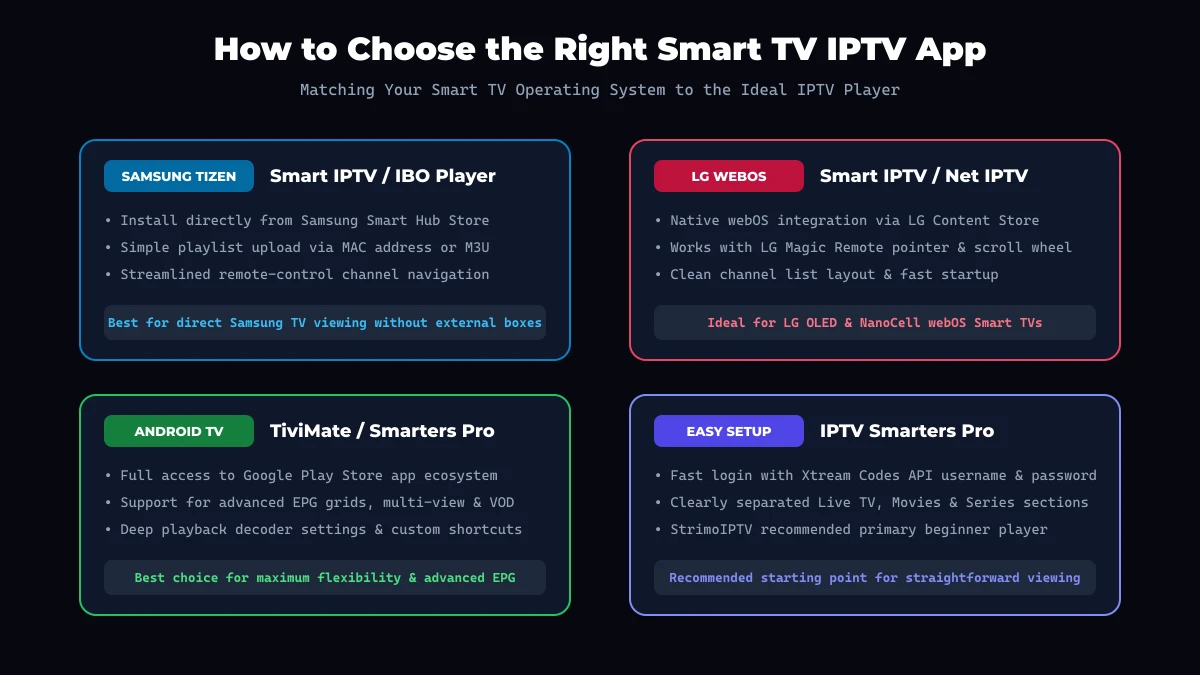 Smart TV Player Decision Guide
For Samsung Smart TV Users
Select Smart IPTV, IBO Player, or Net IPTV from the Samsung Smart Hub store. These apps provide native Tizen compatibility without requiring external streaming hardware.
For LG Smart TV Users
Choose Smart IPTV or IBO Player from the LG Content Store. Both applications offer full compatibility with LG's Magic Remote pointer for effortless navigation.
For Android TV / Google TV Users
Install TiviMate for a cable-style TV guide experience, or IPTV Smarters Pro for a simple, versatile dashboard.
For Users Wanting the Simplest Setup
Choose IPTV Smarters Pro (on Android TV) or IBO Player (on Samsung/LG). Logging in via Xtream Codes API avoids typing long M3U URLs.
For Users with Expansive Channel Packages
If you subscribe to large channel packages like the StrimoIPTV channel list, select TiviMate or Smart IPTV, which feature robust search and category filtering to navigate thousands of international channels.
For On-Demand Movie & Series Viewers
Select IPTV Smarters Pro or XCIPTV, which present VOD libraries with cover art, plot synopses, cast details, and automated episode playback.
What Features Should the Best Smart TV IPTV App Have?
When evaluating an IPTV player 2026 for your Smart TV, ensure the application includes these critical features:
1. Electronic Program Guide (EPG)
A high-quality IPTV EPG Smart TV implementation displays real-time broadcast schedules, program progress bars, show descriptions, and channel logos. Automatic background guide synchronization ensures program data remains accurate.
2. Favorites & Channel Grouping
Managing expansive channel lists requires quick channel favoriting, custom group creation, and category hiding.
3. Search Functionality
An efficient search engine allows users to find live sports, news broadcasts, or specific movie titles instantly via remote control.
4. VOD & Series Organization
On-demand media sections should organize content into genres with high-resolution poster art, episode selection, and subtitle support.
5. Playback Controls & Video Decoders
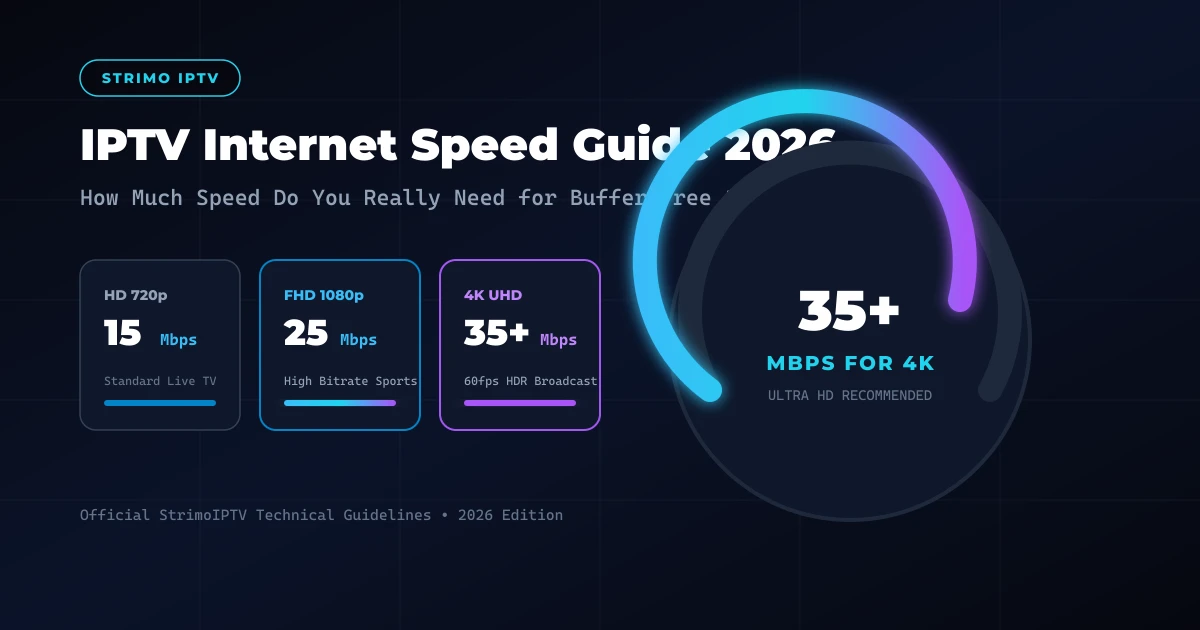
Essential playback features include hardware acceleration (HW/HW+), audio track toggling, aspect ratio adjustment, and video buffer tuning to prevent buffering on high-bitrate 4K streams. Learn more about bandwidth management in our guide to internet speed requirements for IPTV.
6. Performance & Remote Ergonomics
The app should launch quickly, scroll smoothly without memory leaks, and respond crisply to standard Smart TV remote D-pad controls.
M3U vs Xtream Codes on Smart TV
When adding your subscription to a Smart TV player, you will choose between two primary connection methods:
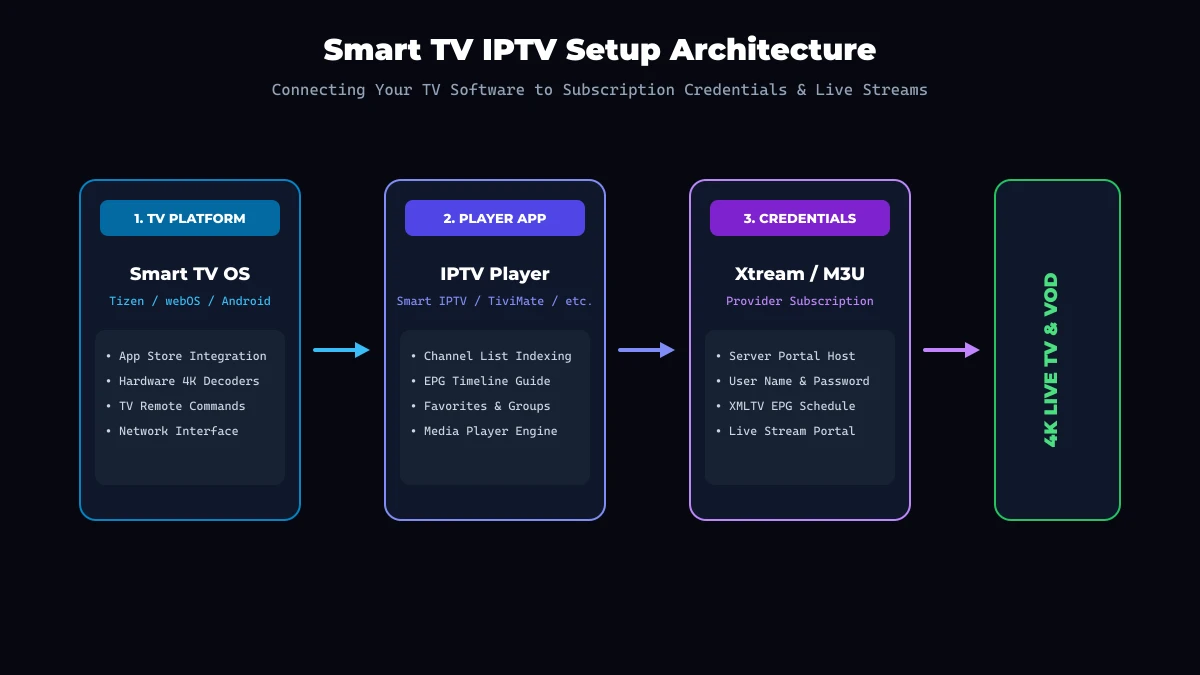 Smart TV IPTV Setup Architecture
1. M3U Playlist URL (IPTV M3U Smart TV)
An M3U playlist is a web link that downloads a text file containing channel stream URLs and station titles.
- How It Works: The user pastes or uploads the M3U link into the player's configuration menu or web portal.
- Pros: Supported by virtually every IPTV player on the market.
- Cons: Typing long URLs using an on-screen TV remote keyboard is prone to typos; EPG guide data must often be added as a separate web link.
2. Xtream Codes API (IPTV Xtream Codes Smart TV)
Xtream Codes API is the modern, user-friendly standard for Smart TV authentication.
- How It Works: Users enter three simple fields: Server Portal URL, Username, and Password.
- Pros: Fast login, automatic EPG schedule synchronization, and organized separation of Live TV, Movies, and Series categories.
- Cons: Requires player software that explicitly supports API authentication.
When activating a package on StrimoIPTV pricing plans, users receive both Xtream API credentials and M3U playlist links, ensuring complete compatibility regardless of your chosen player app.
How to Install an IPTV App on Smart TV
Installing an application on your Smart TV is a straightforward process. Because full platform-specific tutorials are detailed in our main StrimoIPTV setup guide, here is the high-level workflow:
- Power on your Smart TV and connect it to your home Wi-Fi or Ethernet network.
- Open the official app store: Launch the Samsung Smart Hub, LG Content Store, or Google Play Store.
- Search for your target application (e.g., Smart IPTV, IBO Player, or IPTV Smarters).
- Download and install the official application onto your TV.
- Launch the app to view your TV's MAC address or login screen.
- Enter your provider credentials (Xtream Codes API username/password or upload your M3U playlist via the app's activation portal).
- Allow the app to synchronize live channel lists and EPG schedules.
- Organize your favorite channels for quick access.
Security Notice: Never attempt to sideload unverified third-party software or download modified APK files from suspicious external websites onto your Smart TV.
StrimoIPTV Smart TV Compatibility
StrimoIPTV is engineered for complete compatibility across all major Smart TV operating systems. Our server infrastructure supports both high-efficiency H.265 (HEVC) and standard H.264 video streams, ensuring smooth playback on Samsung Tizen, LG webOS, and Android TV hardware.
According to our official StrimoIPTV installation guide, our technical support team officially recommends the following setups:
- Samsung Smart TVs: Smart IPTV, IBO Player, or Net IPTV.
- LG Smart TVs: Smart IPTV or IBO Player.
- Android TV & Google TV: IPTV Smarters Pro or TiviMate.
Disclaimer: StrimoIPTV is an independent IPTV service provider. Third-party player applications (such as Smart IPTV, TiviMate, or IBO Player) are developed by independent software companies. StrimoIPTV does not own, modify, or distribute third-party player software.
IPTV Apps vs Built-In TV Players
Many modern Smart TVs include basic built-in DLNA or USB media players. However, dedicated IPTV applications offer substantial advantages for live television viewing:
| Feature | Dedicated IPTV Player App | Built-In TV Media Player | External Streaming Stick (Firestick) |
|---|---|---|---|
| Live EPG Grid | Full Electronic Program Guide | None / Basic file list | Full EPG Grid Support |
| Xtream API Support | Automated category syncing | No | Full Xtream API Support |
| VOD Poster Wall | Rich posters, synopses & subtitles | Raw video file names | Rich Media Layouts |
| Channel Search | Instant remote keyword search | Manual file browsing | Instant Voice & Text Search |
| Hardware Hardware | Uses TV's internal processor | Uses TV's internal processor | Dedicated streaming processor |
For most viewers, utilizing a dedicated IPTV app on a Smart TV provides a seamless, cable-like experience without needing external set-top boxes.
Can You Use IPTV Without a Firestick or Android Box?
Yes! You can stream IPTV directly on your Smart TV without purchasing a Firestick, Roku, or Android Box.
If your Samsung, LG, Sony, or TCL Smart TV supports a compatible player application (such as Smart IPTV, IBO Player, or IPTV Smarters Pro) within its official app store, you can stream live TV directly using your TV's built-in Wi-Fi and remote control.
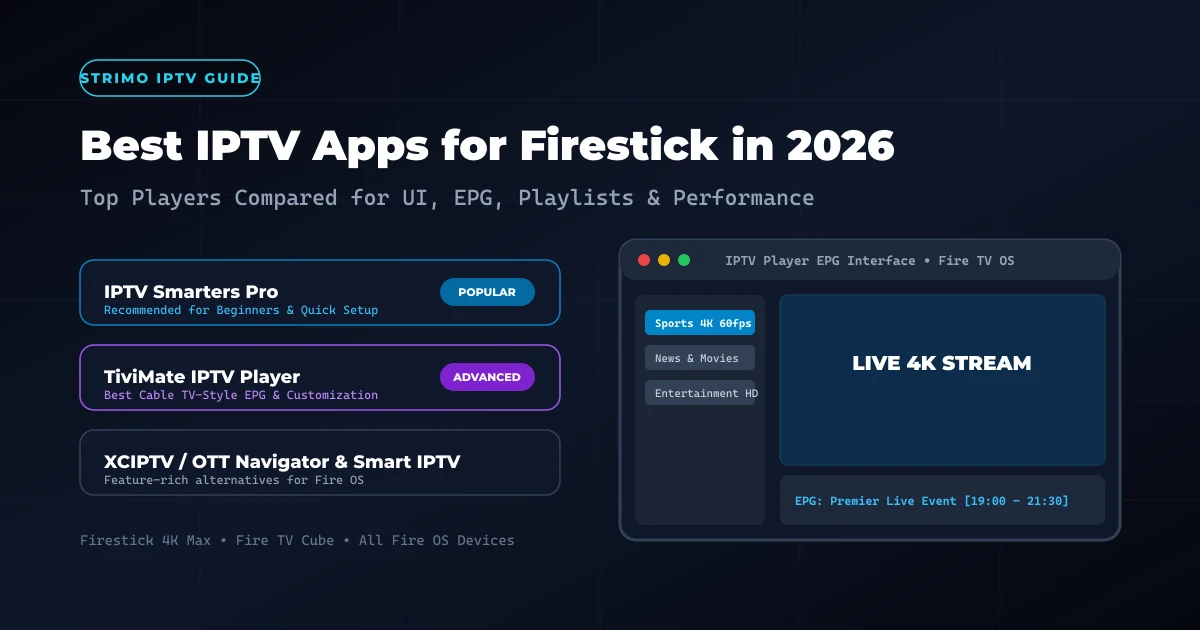
Connecting directly via your Smart TV eliminates extra cables, frees up HDMI ports, and allows you to control your television using a single remote. However, if your TV is an older model with a slow internal processor or limited app store selection, adding a dedicated streaming device like an Amazon Firestick 4K can provide faster app navigation. Learn more in our comparison of the best IPTV apps for Firestick.
How to Improve IPTV Performance on Smart TV
To maintain buffer-free 4K playback and rapid channel switching on your Smart TV, apply these network and performance optimizations:
- Connect via Wired Ethernet: Plug a Cat6 Ethernet cable directly into your TV's LAN port to eliminate wireless signal drops and reduce latency.
- Use 5 GHz Wi-Fi: If a wired cable is impractical, connect your TV to your router's 5 GHz Wi-Fi band rather than the slower 2.4 GHz frequency.
- Position Your Router Nearby: Reduce physical obstacles between your router and TV to prevent wireless packet loss.
- Restart Your Smart TV: Perform a soft reset by holding your remote power button or unplugging your TV for 30 seconds to clear system RAM.
- Clear Application Cache: Open your TV's application management settings to clear accumulated cache files.
- Keep TV Firmware Updated: Ensure your Samsung Tizen, LG webOS, or Android TV operating system is updated to the latest software release.
- Reduce Network Congestion: Pause background downloads, cloud backups, or torrent activity on home computers while streaming live sports.
Common IPTV App Problems on Samsung, LG & Android TV
If you encounter technical errors while streaming on your Smart TV, reference these practical troubleshooting fixes:
1. Application Not Available in TV Store
- Causes: Regional app-store restrictions, older TV model year, or unsupported firmware version.
- Fixes: Verify your TV's region settings in the system menu, update TV firmware, or connect an affordable external Android TV dongle.
2. IPTV Player App Crashes or Freezes
- Causes: Low system RAM, corrupted app cache, or overloaded EPG playlist.
- Fixes: Clear app cache, force-stop the app in TV settings, or reduce your playlist size by removing unwanted international categories.
3. Channels Fail to Load (Playlist Error)
- Causes: Incorrect Xtream API username/password, expired M3U link, or server URL typo.
- Fixes: Double-check credentials for typos. Test your playlist on a smartphone app or verify status with StrimoIPTV customer support.
4. Electronic Program Guide (EPG) Is Empty
- Causes: EPG failed to sync, time zone offset mismatch, or provider server update.
- Fixes: Navigate to app settings and select Refresh EPG. Confirm your TV's system date, time, and time zone are configured accurately.
5. Video Stream Buffering or Stuttering
- Causes: Weak Wi-Fi signal, ISP evening speed throttling, high network ping, or software decoding mode.
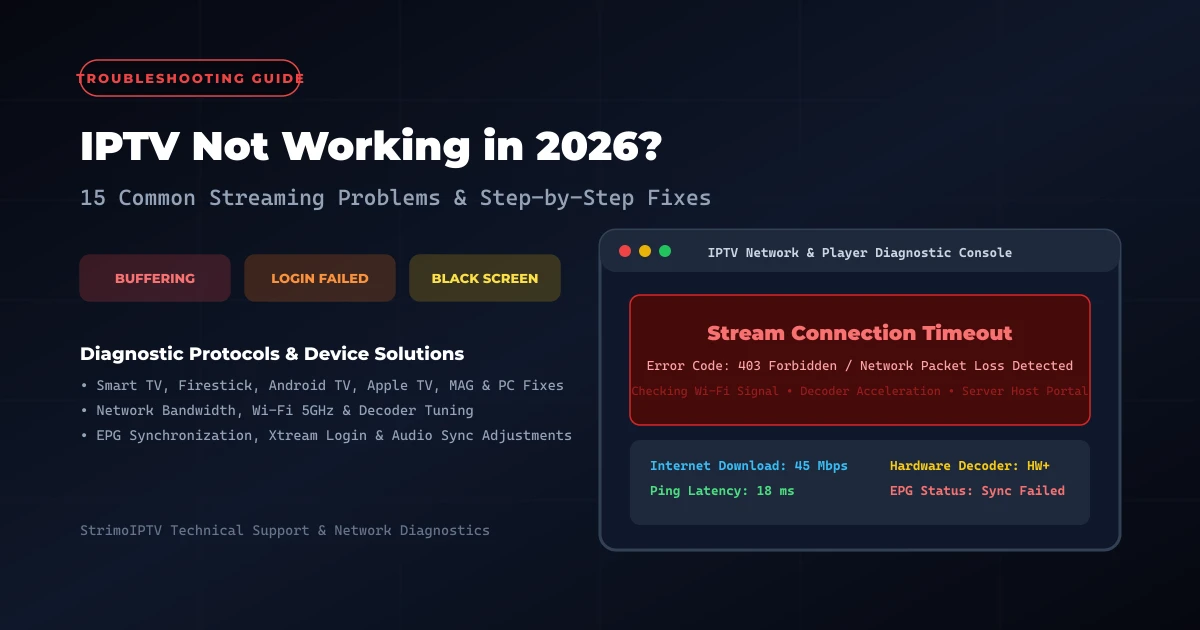
- Fixes: Switch player video decoders to Hardware (HW) mode, connect via Ethernet cable, or check our guide to IPTV internet speed troubleshooting.
Samsung vs LG vs Android TV: Which Is Best for IPTV?
When choosing a new Smart TV specifically for television streaming, here is how the three major platforms compare:
Samsung Smart TV (Tizen OS)
- Best For: Viewers who want crisp 4K display technology and reliable native apps like Smart IPTV or IBO Player without extra streaming sticks.
- Verdict: Excellent hardware performance; good native app selection for standard live TV viewing.
LG Smart TV (webOS)
- Best For: Users who enjoy LG OLED display quality and intuitive Magic Remote point-and-click navigation.
- Verdict: Outstanding video quality and user interface; solid selection of webOS IPTV applications.
Android TV & Google TV
- Best For: Power users, sports fans, and channel surfers who demand the widest choice of apps (including TiviMate and IPTV Smarters Pro), deep EPG grid customization, and multi-screen viewing.
- Verdict: The most flexible and feature-rich platform for advanced television streaming.
Best IPTV Apps for Smart TV: Quick Comparison
Here is a summary comparison matrix evaluating player compatibility across platforms:
| Player Application | Samsung Tizen | LG webOS | Android TV / Google TV | Primary Use Case |
|---|---|---|---|---|
| Smart IPTV (SIPTV) | Availability Varies* | Availability Varies* | Supported | Simple, lightweight Smart TV playback |
| IBO Player | Availability Varies* | Availability Varies* | Supported | Modern dark-mode UI with Xtream API |
| Net IPTV | Availability Varies* | Availability Varies* | Supported | Basic M3U playlist streaming |
| IPTV Smarters Pro | Platform Dependent | Platform Dependent | Supported | Best all-around beginner app & VOD |
| TiviMate IPTV | Not Supported Natively | Not Supported Natively | Fully Supported | Premium cable-style EPG grid & multi-view |
*Note: Availability varies by TV model year, firmware version, and regional app-store listings. Always check your TV's official app store.
Get Your Strimo IPTV Free Trial
Test our premium anti-freeze 4K IPTV service for 24 hours with zero commitment. Instant setup to watch over 50,000+ live channels, sports, and 200,000+ VODs on any device!